

09
August
2024
|
16:23 PM
Europe/Amsterdam
Health and Safety Moment: Home Ergonomics
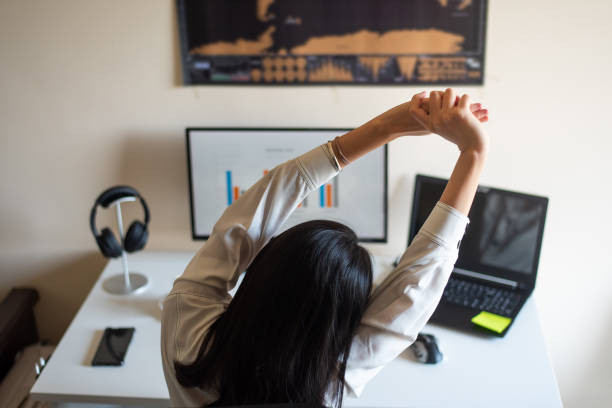
HOME ERGONOMICS
Working from home has become increasingly common, making it essential to focus on creating an ergonomic home office setup. Proper ergonomics can prevent discomfort, pain, and long-term health issues. Today, we'll discuss some key points to ensure your home workspace is both comfortable and safe.
Key Points
Chair and Posture
- Choose the Right Chair: Invest in a chair that supports your lower back. Adjustable chairs are ideal as they can be tailored to your needs.
- Sit Properly: Your feet should be flat on the floor or on a footrest, with your knees at a right angle. Sit back in your chair with your lower back supported.
- Posture: Maintain a neutral spine position. Avoid slouching or leaning forward for extended periods.
Desk Setup
- Desk Height: Your desk should be at a height where your elbows are at a 90-degree angle when typing.
- Monitor Position: The top of your monitor should be at or just below eye level. The screen should be about an arm’s length away.
- Keyboard and Mouse: Position them so your wrists are straight and your hands are at or slightly below elbow level.
Lighting
- Natural Light: Position your desk near a window to take advantage of natural light, but avoid glare on your screen.
- Task Lighting: Use adjustable lighting to ensure your workspace is well-lit, reducing eye strain.
Breaks and Movement
- Regular Breaks: Follow the 20-20-20 rule: Every 20 minutes, look at something 20 feet away for at least 20 seconds.
- Movement: Stand up, stretch, and move around every 30 to 60 minutes to prevent stiffness and improve circulation.
Equipment and Accessories
- Laptop Use: If using a laptop, consider an external keyboard and mouse, and use a laptop stand to raise the screen to eye level.
- Document Holders: Use a document holder to keep reference materials at eye level.
- Headsets: For frequent calls, use a headset to avoid cradling the phone between your ear and shoulder.
Environment
- Noise Level: Create a quiet workspace to minimize distractions.
- Temperature: Keep your workspace at a comfortable temperature.
Creating an ergonomic home office setup is crucial for maintaining your health and productivity. By following these tips, you can prevent discomfort and work more efficiently. Remember, small adjustments can make a big difference in your overall well-being.
Calendar this August
- August 1: Emancipation Day
- August 12: International Youth Day
- August 23: Treaty 6 Recognition Day, International Day for the Remembrance of the Slave Trade and its Abolition
TELUS Health
Here are some of the services that our EAP provider offers:
- Short-Term Counselling
- Legal Advice
- Resources for Mental Health
- Fitness and Health Advice
- Perks and Savings
- Financial Health resources
- Family Relationships
Please log onto the TELUS Health website at: one.telushealth.com or call: 1-844-671-3327